Arizona’s RTS System
The RTS (Request to Speak) system in Arizona is a public tool used to provide input on legislative bills. It allows individuals to signal their stance on bills, regardless of their physical location. It is a powerful way to make your voice heard and allows you to submit comments, support or oppose bills, and even sign up to speak at legislative hearings.
How to register:
Step 1: Go to the RTS Registration website
Visit the official Arizona RTS registration page by clicking here.
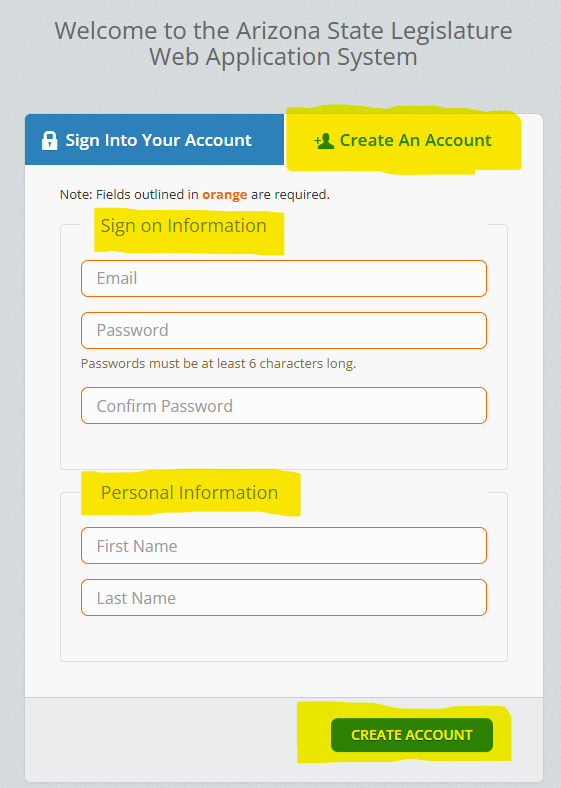
Step 2: Create your RTS Account
Select “Create An Account”
Complete the Sign in and Personal information sections
Click “Create Account”
Step 3: Activate your account.
This step must be completed in person at the Capitol or the Tucson State Legislature office.
The Arizona state Capital
1700 W Washington St, Phoenix, AZ 85007Tucson State Legislature office
AZFV is happy to assist you with step 3, if you are unable to travel to either location.
Please email us for assistance.
Info@azfamiliesforvaccines.org